Team settings is coach-only. It's the whole team in one place, split into four tabs — Team, Integrations, Dietary notes, and Child safety. It opens on Team.
Team
The tab you land on. It holds the team profile, the full roster, and a data export.
Team profile. The team number and program come straight from the official FIRST directory and can't be edited. The name and time zone can — quiet hours, digests, and the school-hours rule all follow the time zone you set here.
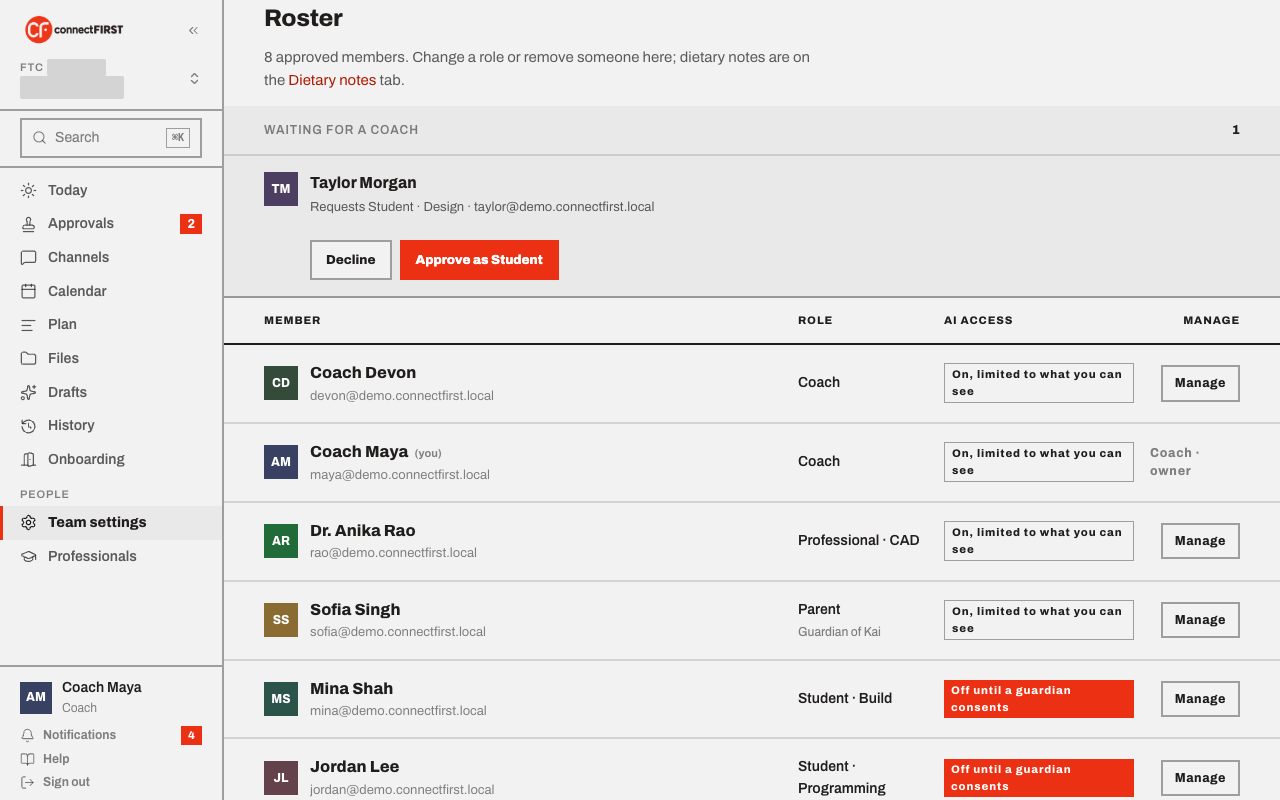
Roster. Every approved member, their role, and their AI access. A join request waiting on you shows at the top to approve or decline. For anyone already on the team you can:
- Change a role — including making someone a co-coach, a full peer with the same access. There's no limit on how many co-coaches a team has.
- Remove someone from the team.
- Step down as coach yourself, as long as one other coach remains — a team is never left with zero coaches.
A student's dietary note shows on their roster row but is edited on the Dietary notes tab.
Your coaches is on the right — the same list everyone on the team sees, a direct way to reach a coach by email since connectFIRST has no private messaging.
Export team data. Once Google Drive is connected with a team folder (on the Integrations tab), you can download one compressed archive of everything the team holds — every channel and message, the plan, calendar, files list, roster, activity log, drafts, dietary notes, and guardian-consent records. It uploads privately into the team folder — never link-shared — and the export is recorded in History. Tick "Also back up automatically once a month" to have connectFIRST drop a fresh archive in the same folder on the first of each month.
Integrations
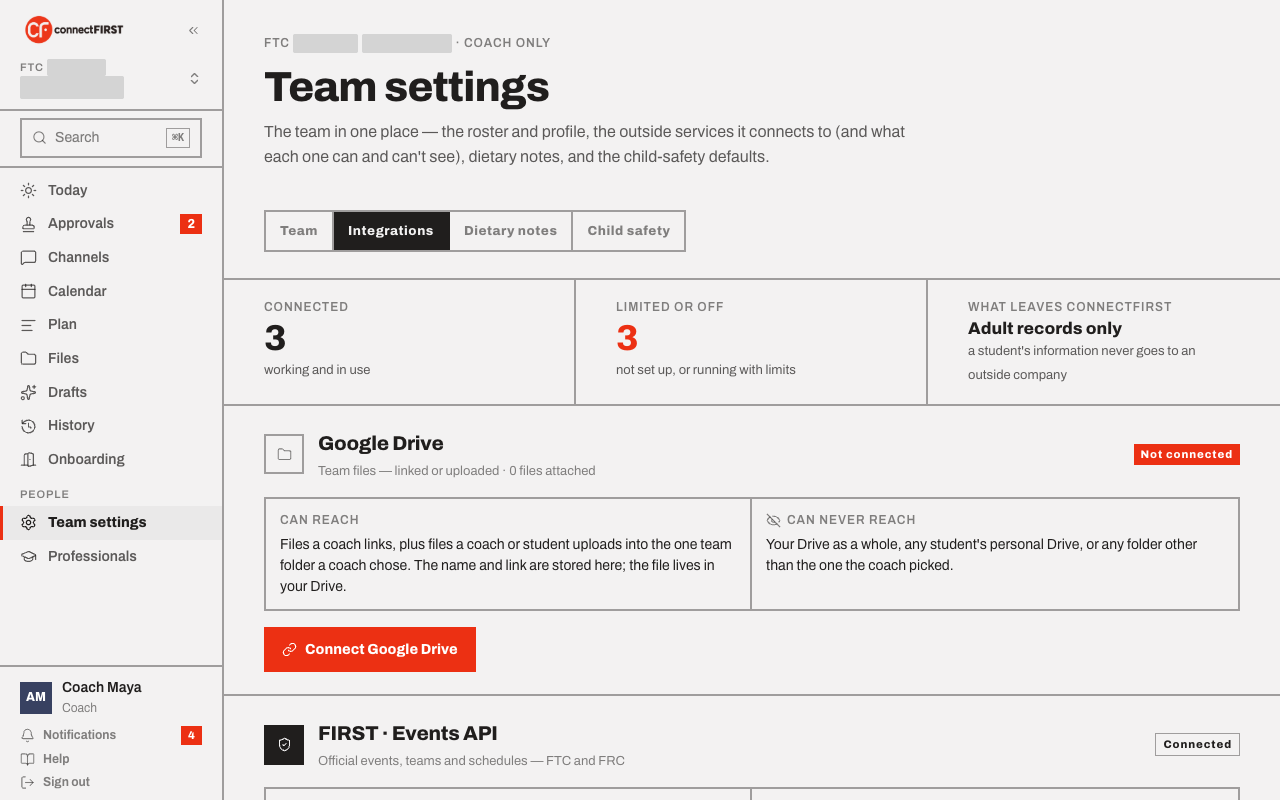
Every outside service the team uses, and — for each one — exactly what it can and can't see. Connect Google Drive here to enable Files uploads and Evidence attachments; FIRST · Events API is what powers the Calendar sync for FTC and FRC. The What leaves connectFIRST stat is the whole point of this tab: adult records only, never a student's.
If a file or folder attach is failing, use Check Drive connection on this tab — it runs the same check every attach makes and tells you which part is missing (the Drive API isn't enabled, file access wasn't granted, or the Picker keys aren't set).
Dietary notes
Each student's saved default food preference, one row per student. It carries onto every event's food plan automatically; you can still override it for a specific event from that event's own page.
Child safety
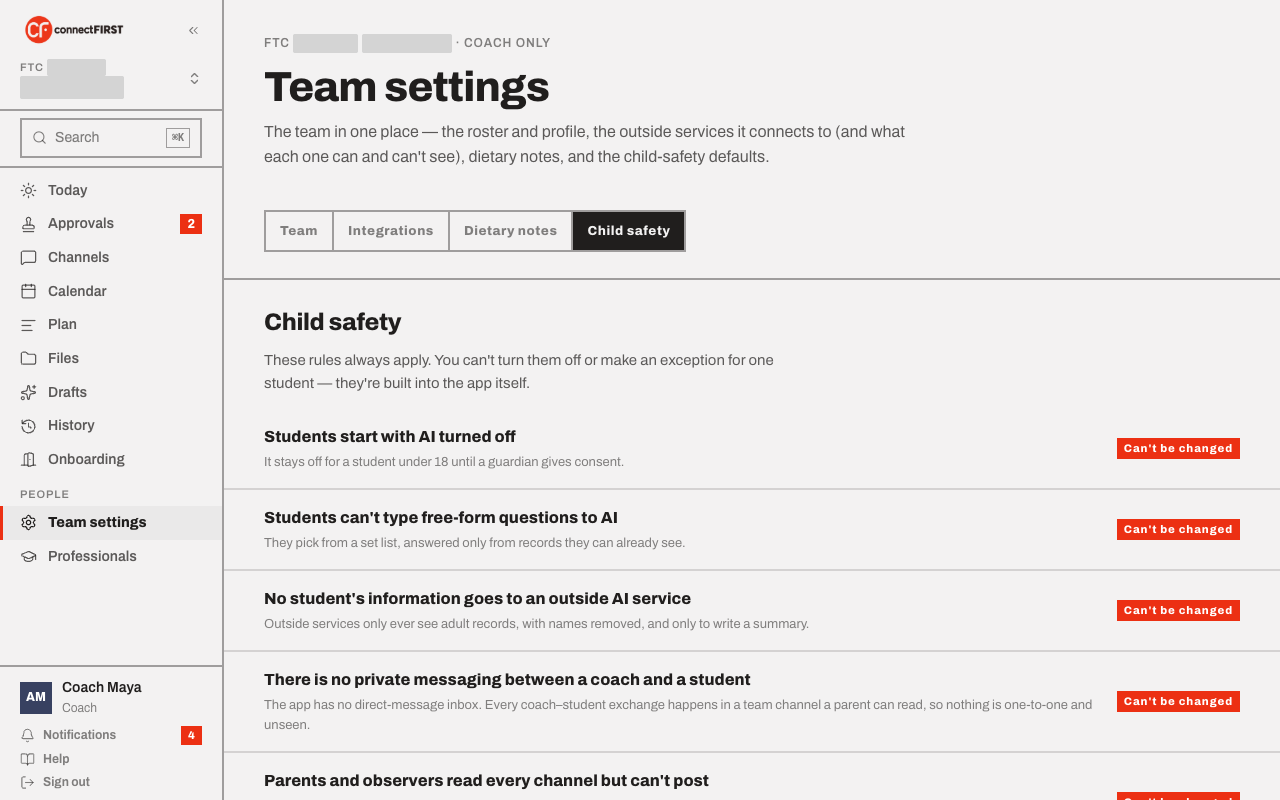
The rules that are true for every connectFIRST team, all the time — a
student starts with AI off until a guardian consents, no student data ever
reaches an outside AI service, there's no private coach↔student messaging,
and a parent reads every channel but can't post outside #families. None
of these are settings a coach can loosen; they're built into the app.