
Today is what everyone lands on after signing in. What it shows depends on your role — a coach sees decisions and team-wide status; a student sees their own work; a parent sees food and travel instead of any of that. This page covers the coach's view.
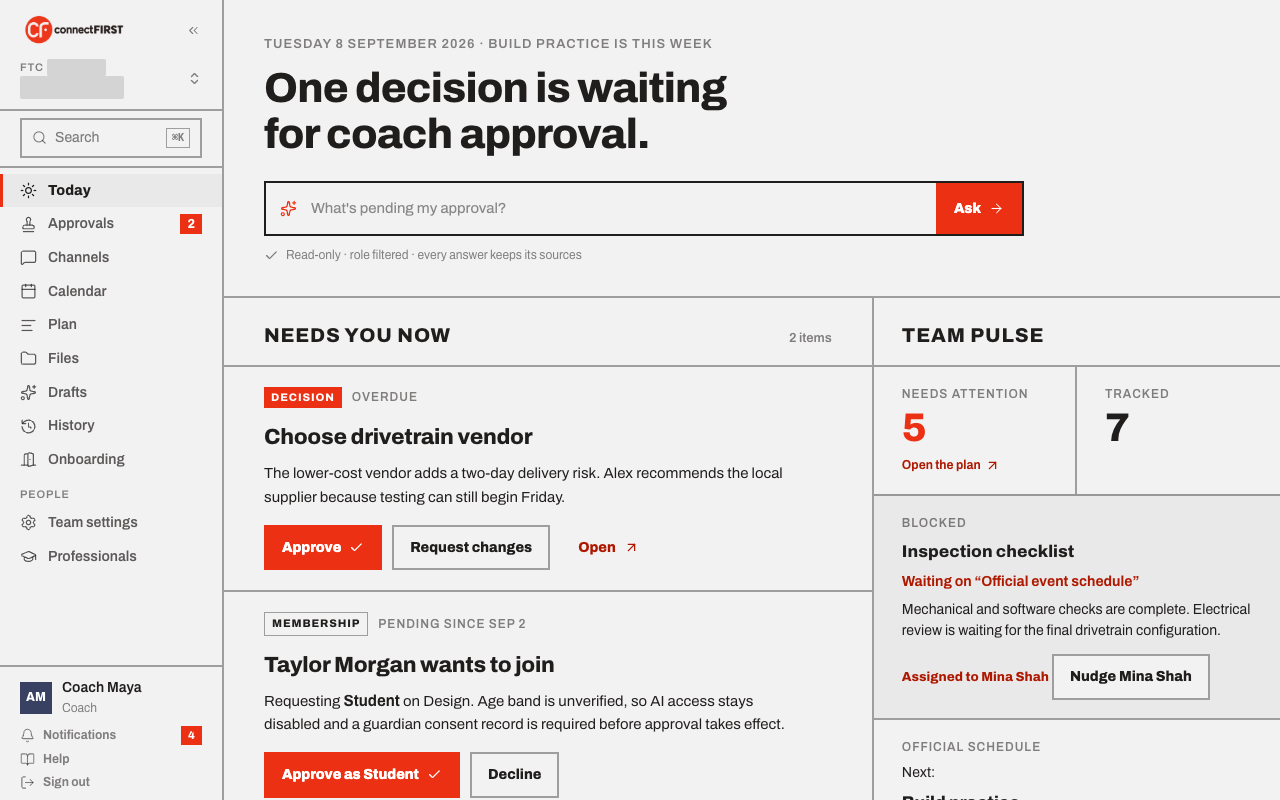
Needs you now
The one list of things actually waiting on you — a submitted work item to approve, a membership request, anything with your name on it. Nothing else competes for your attention here. Below it, Next seven days lists what's coming up across the team.
Team pulse
At a glance: how many items need attention, how many are tracked and moving, what's on the official schedule, and the latest message across Channels. Each number links straight into the screen it summarizes.
Ask
The bar under the headline cycles through example questions — "what's blocking us," "what's due before our next event." Press Tab to drop the one showing into the box as editable text, or just type your own, then Enter to ask. Every answer is built from your team's own records, nothing else, and names which records it used, so nothing is ever just taken on faith.
It can speak to what's blocked, what's due, what's pending your approval, your next event, and the food and travel plan for it — including who has offered to bring the food. It only reads; it never changes anything or contacts anyone.
A student sees fixed, coach-approved starter questions rather than a free-text box.